Simulating aesthetic treatment results
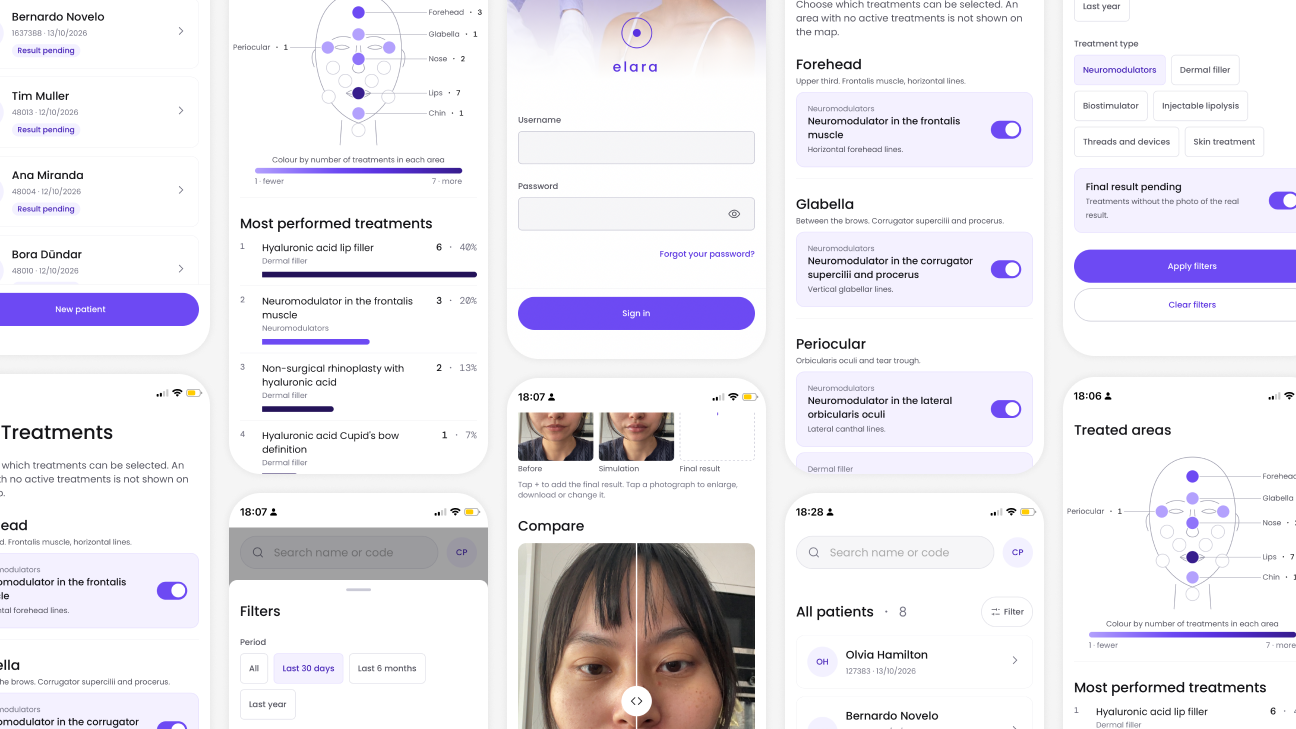
Overview
Elara is a mobile web app for aesthetic clinics. It shows patients a realistic AI preview of their treatment on their own face and keeps every photo as an organized, GDPR-conscious record. I started with field research at Sunsolfigueres - Centre d'estètica, observing their processes on site. Two things stood out:
Patients ask for the final result at the first visit. Privacy rules out other patients' photos.
The doctor keeps every photo on her phone, hard to search.
Elara answers both: a preview on the patient's own face, and photos organized per patient and treatment.
Problem definition
In a consultation, results are explained with words. Patients can't picture it on their own face, and the usual examples don't look like them or can't be shown. So expectations get unrealistic and decisions slow down.
Patients can't picture the result
Words, sketches and generic galleries don't show their own face.
Doctors can't show real examples
Photos of other patients can't be shared for privacy reasons.
Clinical photos are hard to manage
They sit in a phone gallery, inconsistent and hard to search.
Goals
- Let patients see a credible preview of their treatment, on their own face, during the consultation.
- Give the doctor one place where every patient's photos are organized and easy to find.
- Capture consistent clinical photos: same pose, light and expression.
- Protect patient data from day one: consent, EU hosting, automatic deletion.
- Support the conversation without overpromising: results are labeled as estimates.
The consultation flow
A guided flow of six steps takes the doctor from patient data to an estimated result, on a phone, with the patient present.
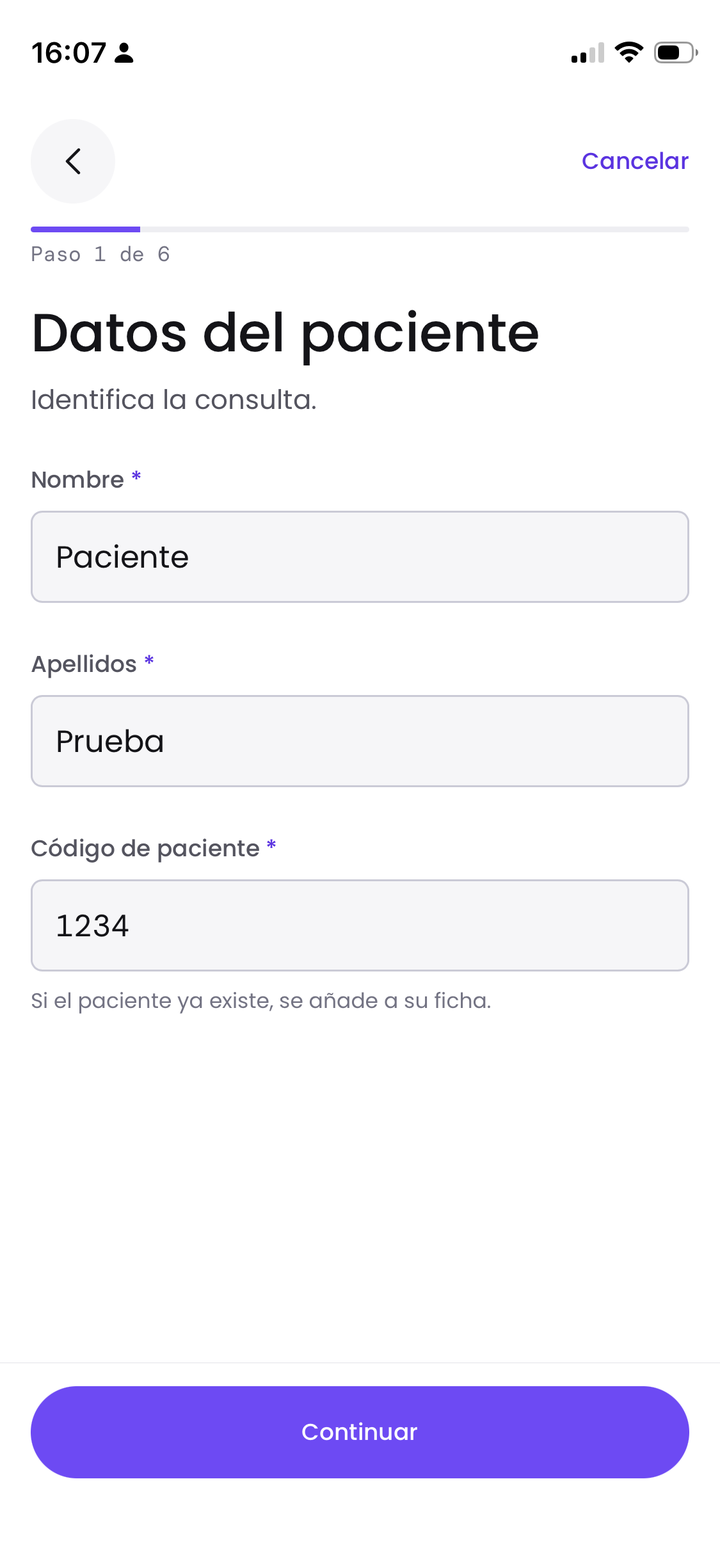
Patient data
Name, surname and clinic code.
One record per patient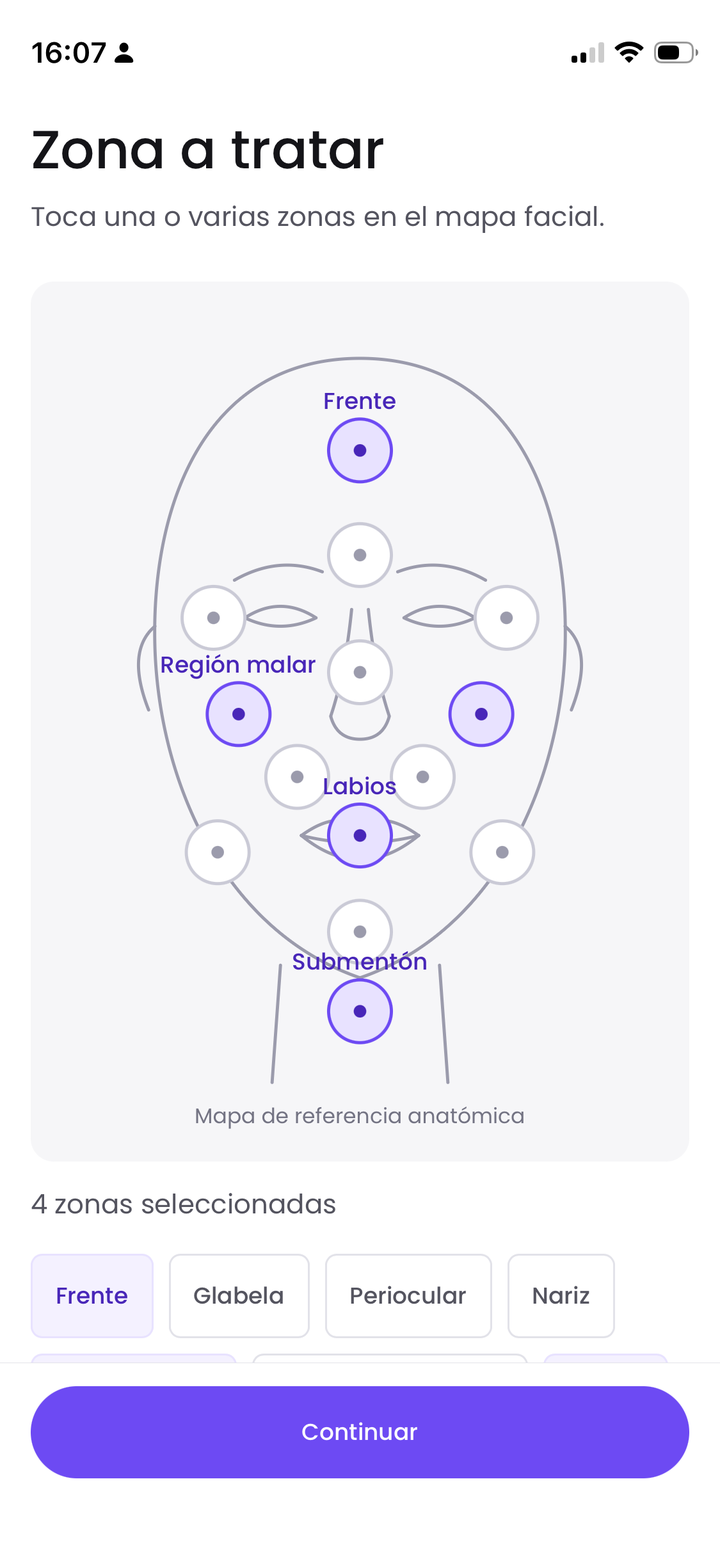
Treatment area
Tap the zone on an anatomical face map.
Precise, no free text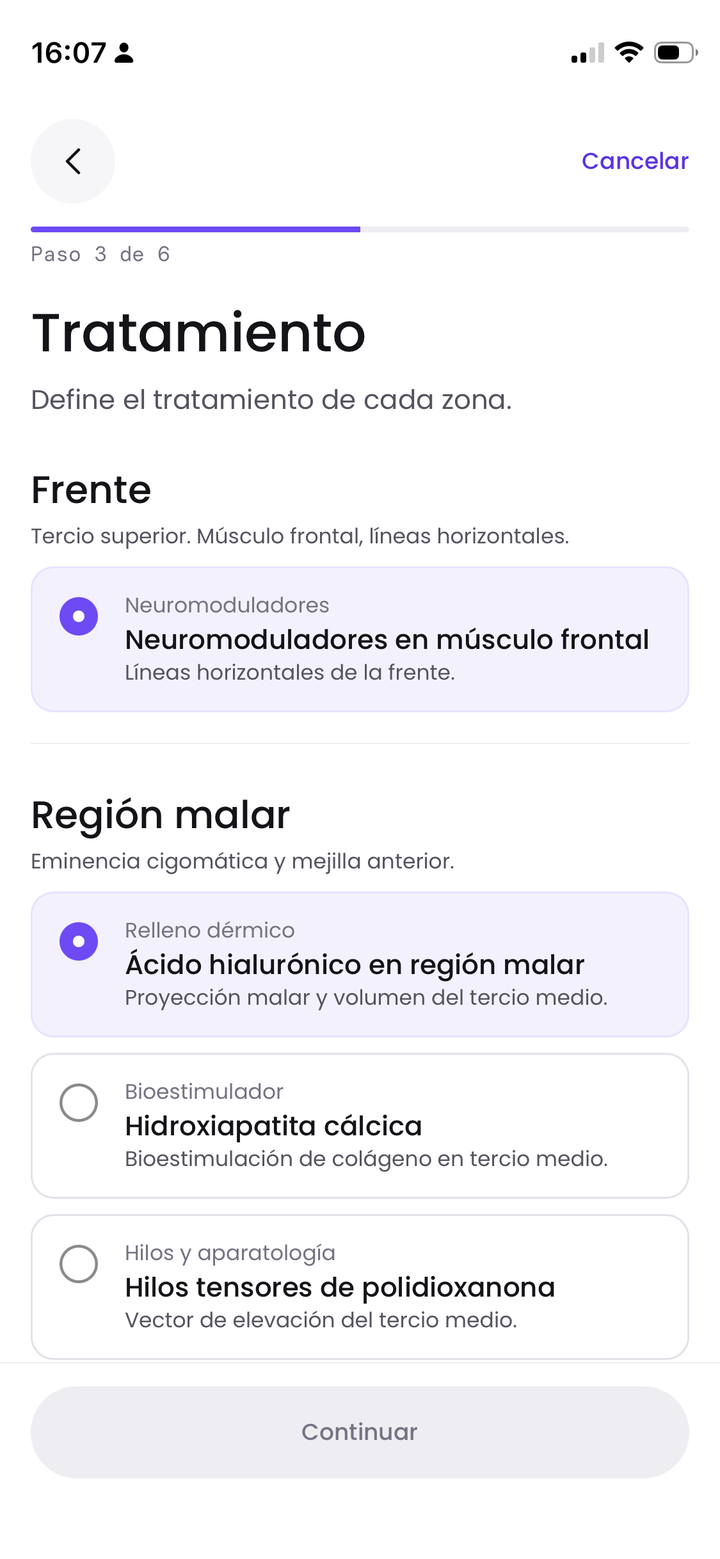
Treatment
Choose the treatment per zone, and the brand for neuromodulators.
Brands give different results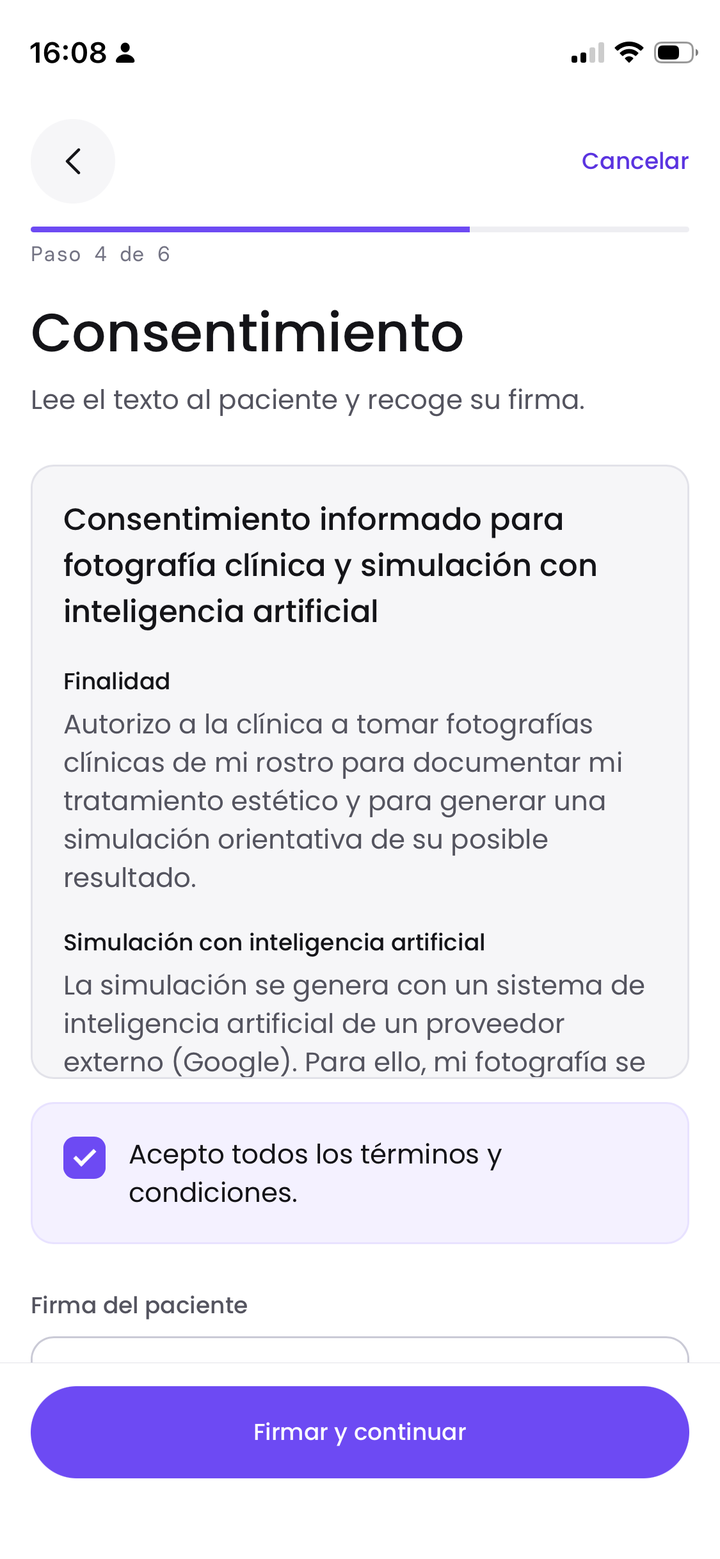
Consent
Three clauses and a signature.
No photo before consent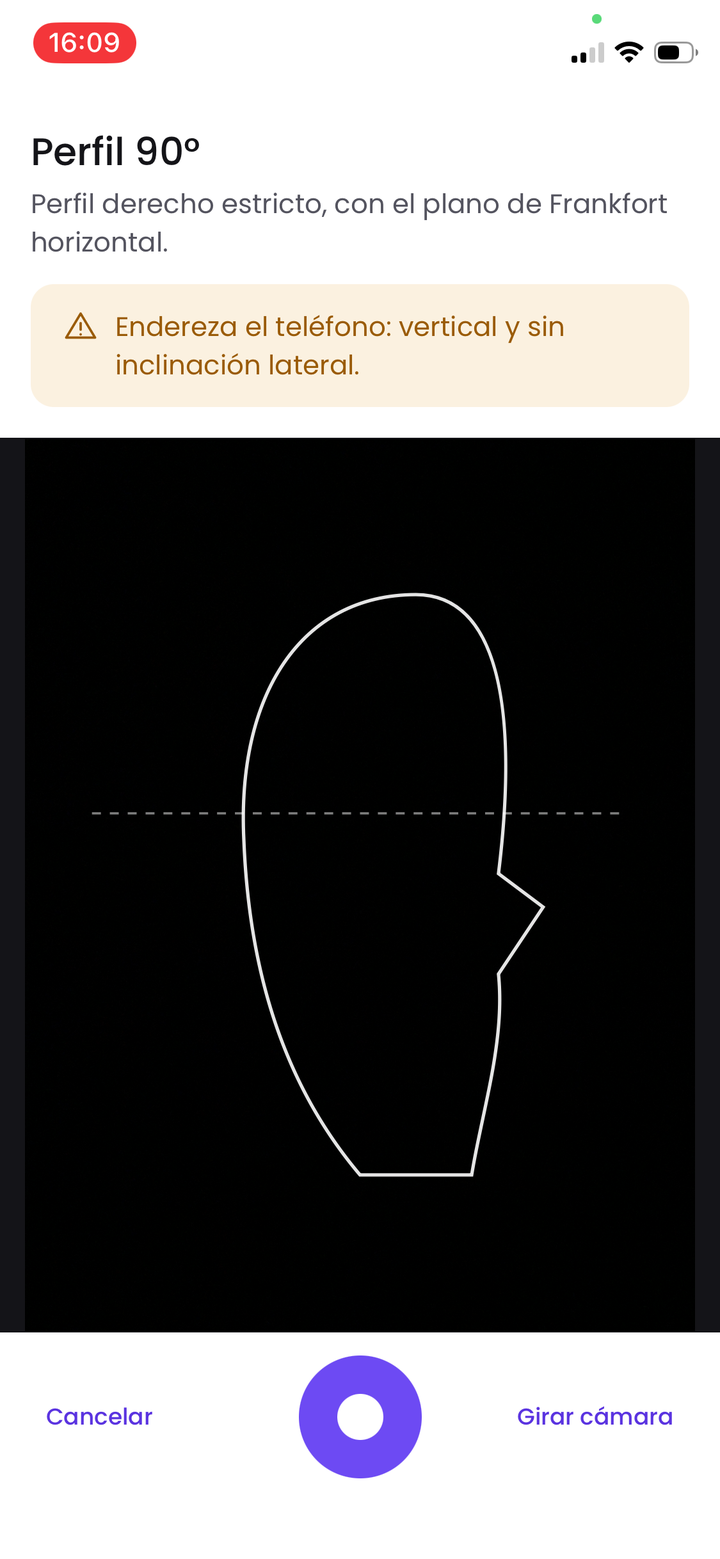
Guided photo
Live camera with a face guide and checks for level and light.
Better photo, better simulation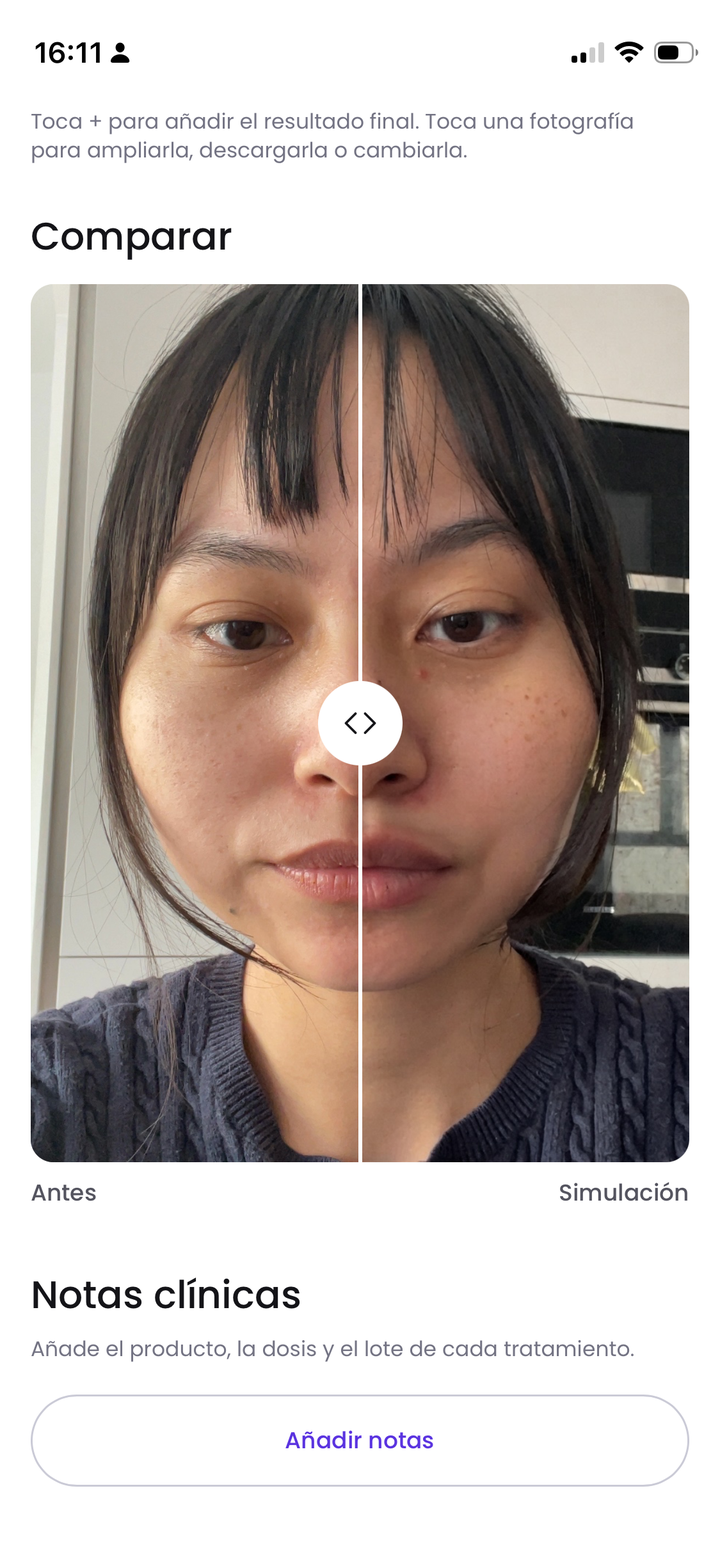
Estimated result
A draggable before and after slider, labeled as an AI estimate.
Sets expectationsAFTER THE CONSULTATION
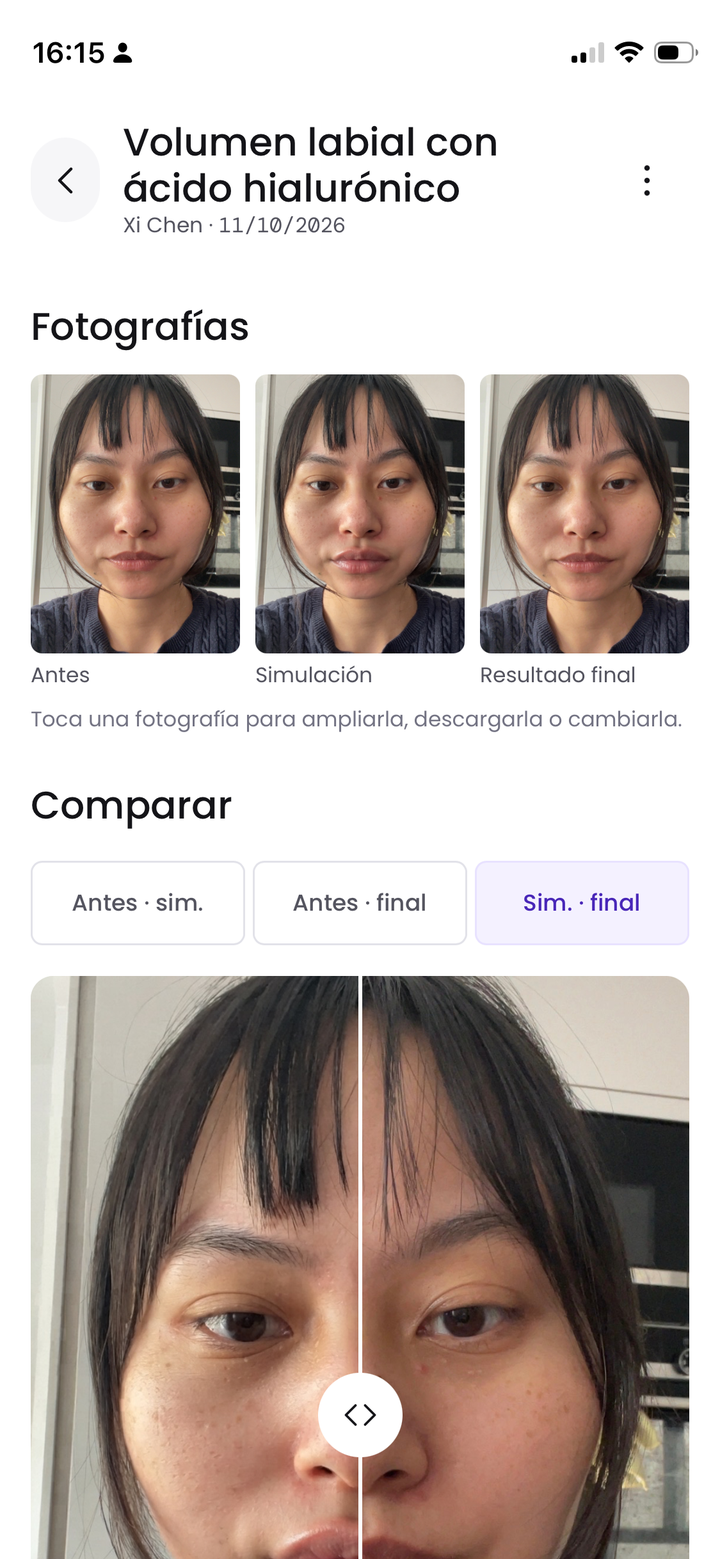
Clinical record
Before, simulation and real result per treatment, with zoom and side by side comparison.
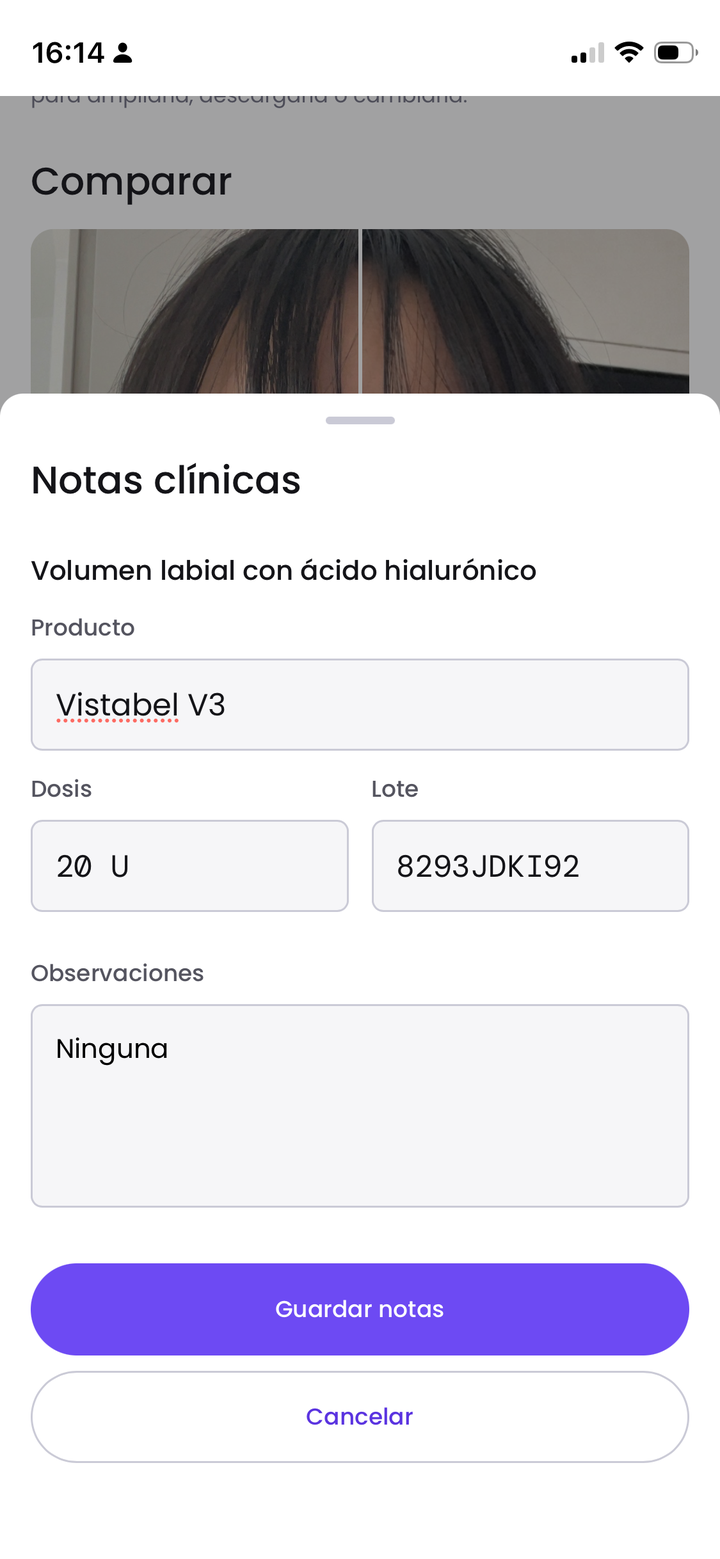
Notes and consent
Product, dose and lot per treatment, plus the signed consent as a PDF.
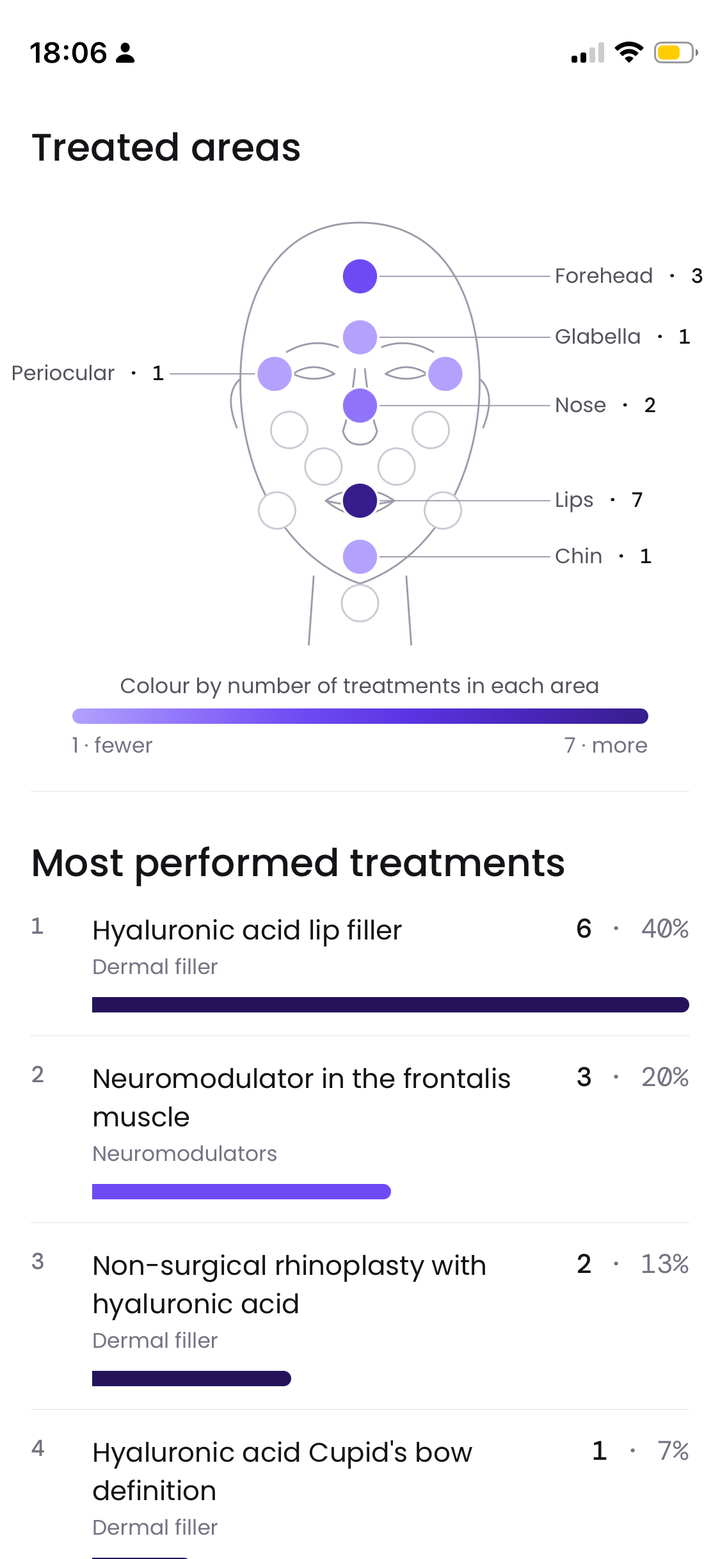
Statistics
Patients and treatments over time, a face map of treated areas and top treatments.
MANAGING THE CLINIC
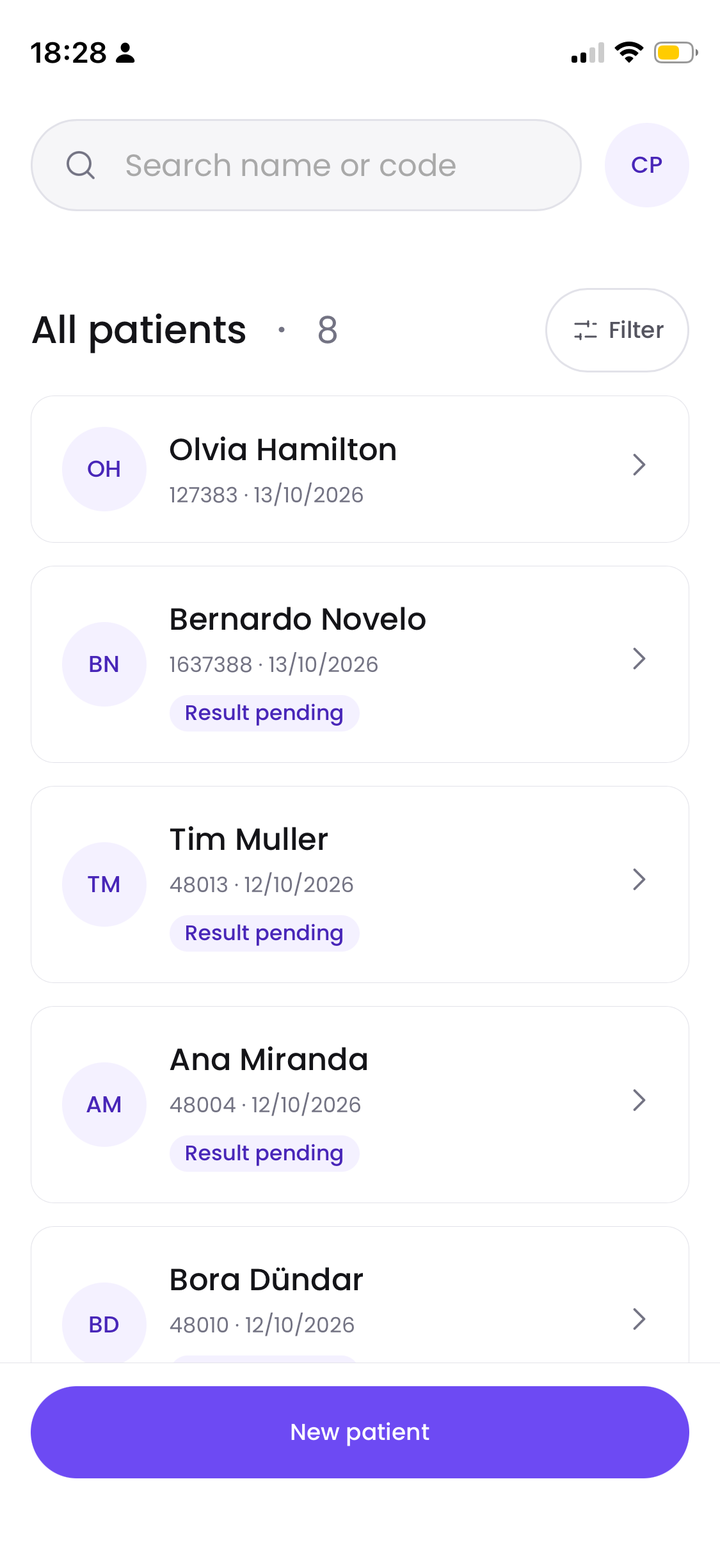
All patients
Search by name or code, and see which results are pending.
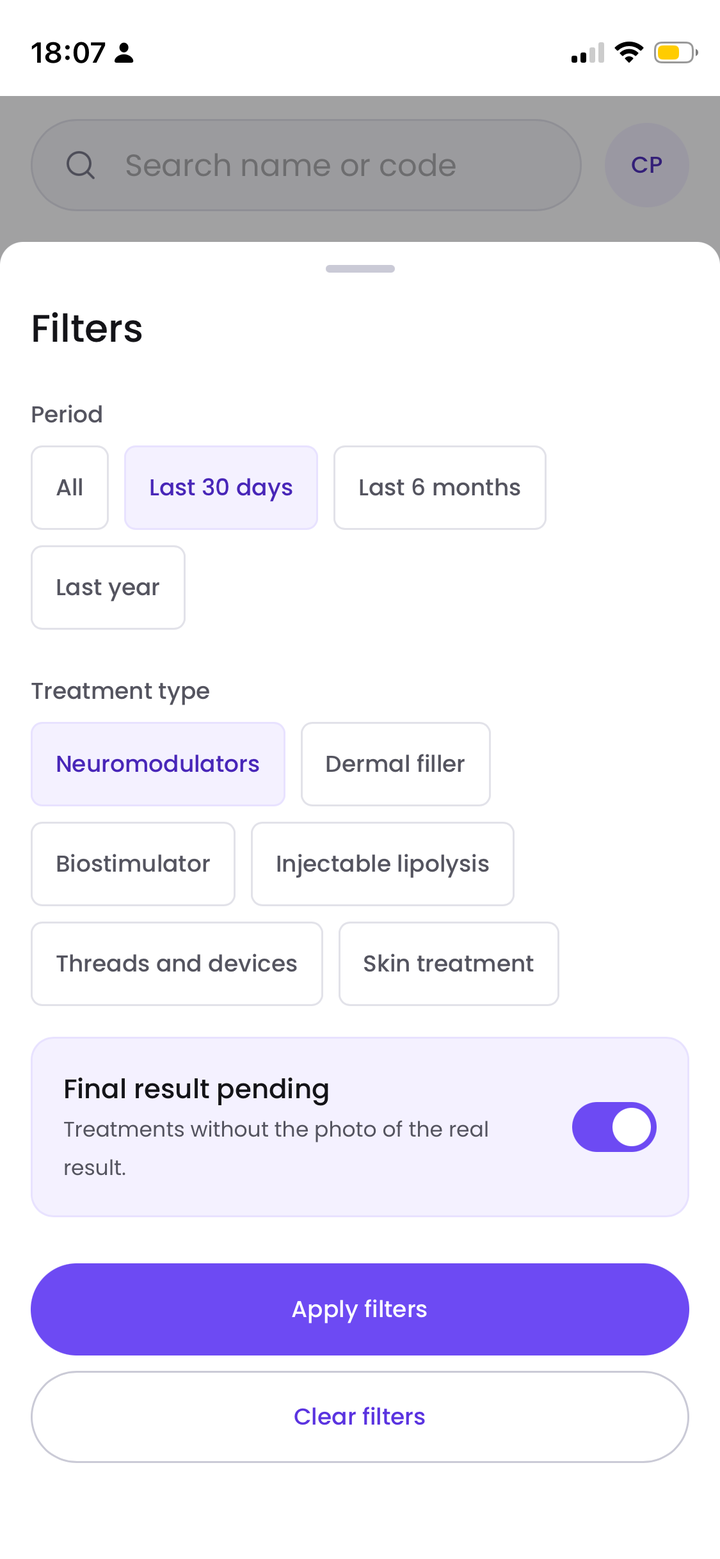
Filters
By period, treatment type or final result pending.
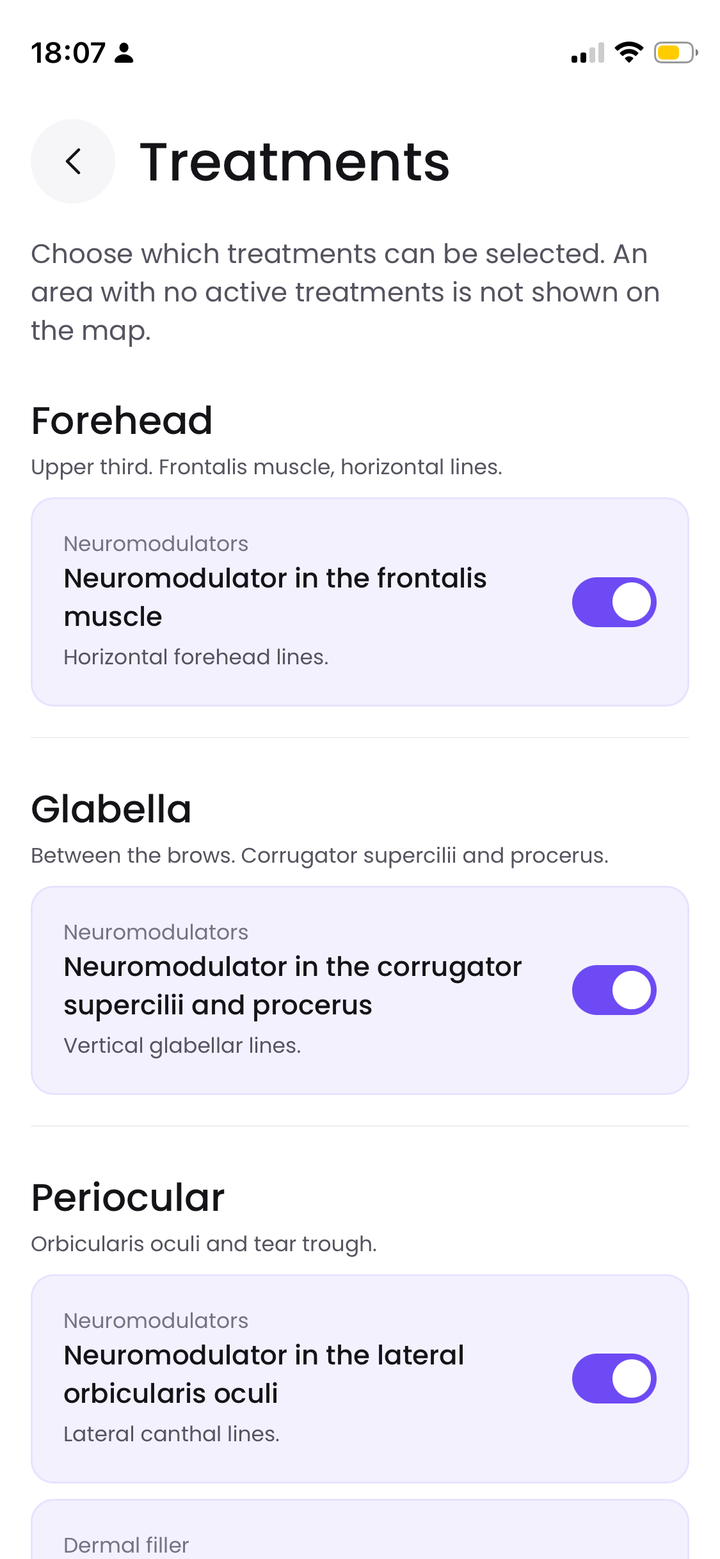
Treatments
The clinic chooses which treatments appear.
Key design decisions
Guided capture
Live camera with a face guide per photo type. Checks phone level, light and light symmetry. Follow-ups overlay the original photo as a ghost.
3:4 frame · live checksConsent gate
No photo before a signed consent. The consent text is versioned and the signature is valid for 2 years, with an explanation when it asks again.
Versioned · 2 yearsAnatomical face map
Zones are selected on a face map instead of free text. Multi-select, mapped to the treatments available per zone.
11 zones · 30 treatmentsTreatment to photo mapping
Each treatment requires a specific photo type and the server rejects mismatches. Found when a raised-eyebrow photo with a frown prompt changed the expression.
10 photo typesTechnical approach
I built Elara end to end with Claude. I owned scope and design decisions, Claude wrote and tested the code, and I set up GitHub, Vercel, the database and AI billing.
Phone (PWA)
Next.js, installable, with camera access.
Server in the EU
Builds the AI prompt from IDs, never from phone text.
Nano Banana 2
Google's image model, about $0.04 per simulation.
Privacy and security
- Private photos, hosted in the EU
- Consent before any photo
- Logs without photos, names or notes
- Photos deleted after 2 years or on request
Outcomes and learnings
- Live: an installable app running on EU infrastructure.
- Pilot ready: separate clinic accounts, access log, simulation limits and deletion rules.
- In closed beta: testing the flow and the simulation quality with test users.
Learning
This was my first project built entirely with Claude, and the first time I took a product all the way to production. Decisions I would normally hand to engineers, like what happens offline or what gets deleted and when, became mine to make. I learned that designing with AI means designing its limits as carefully as the interface.